


Panel PC 15' P150-11KS-3965U (Kaby Lake 3965U dual core)
15' Panel PC with Intel® Kaby Lake processor
P150-11KS
- 15" TFT LCD with a service life of 70,000 hours
- IP65 front protection and fanless design
- Slim Panel PC with PCAP touch
- 6th and 7th-generation Intel® Core i processors


P150-11KS is a 15 inch all-in-one Panel PC system based on the Intel Apollo Lake platform, designed for power efficiency and fanless operation.

For different industrial touch applications, it flexibly supports either resistive or capacitive touch solutions, with an IP65 protection rating on the front.

These features are designed to provide a stable and reliable product solution for different environments or industrial HMI applications.

Powerful Apollo Lake Processor
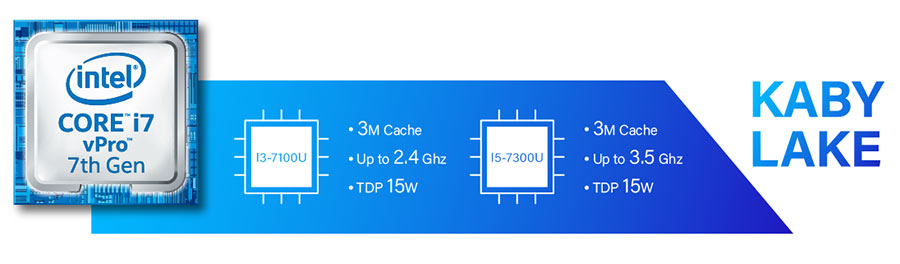
2.18X performance improvement
(CPU Passmark)

Power Consumption Reduction
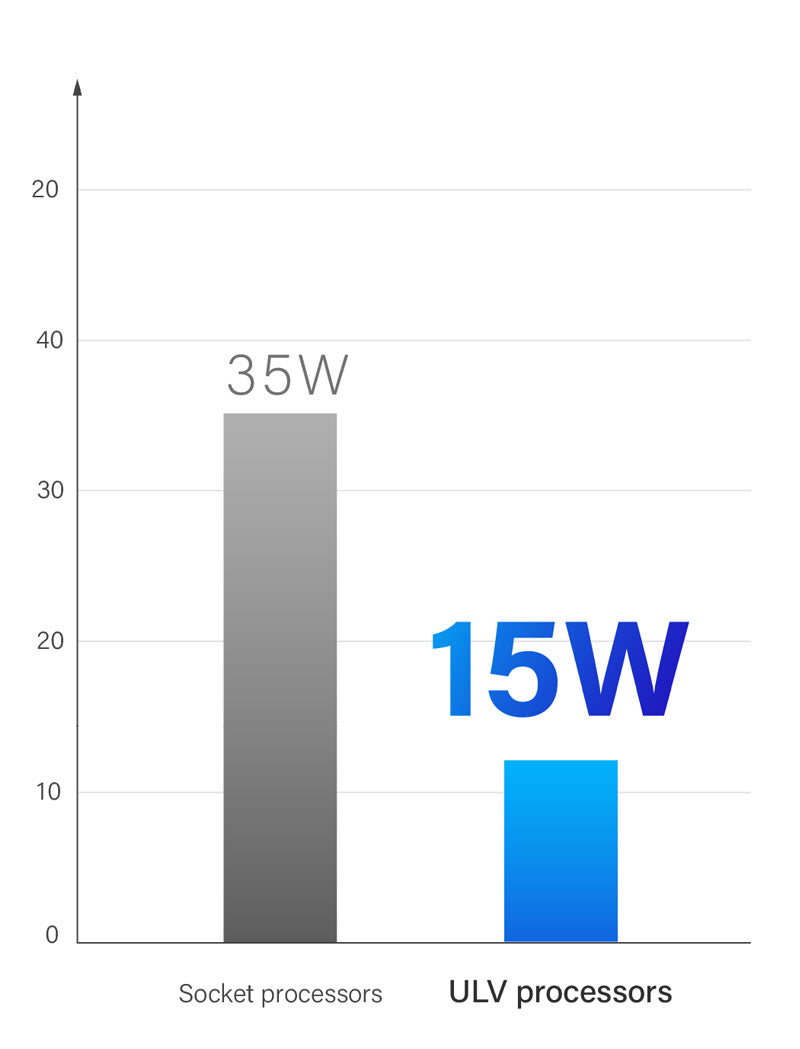
Low Power Consumption & Fanless Design
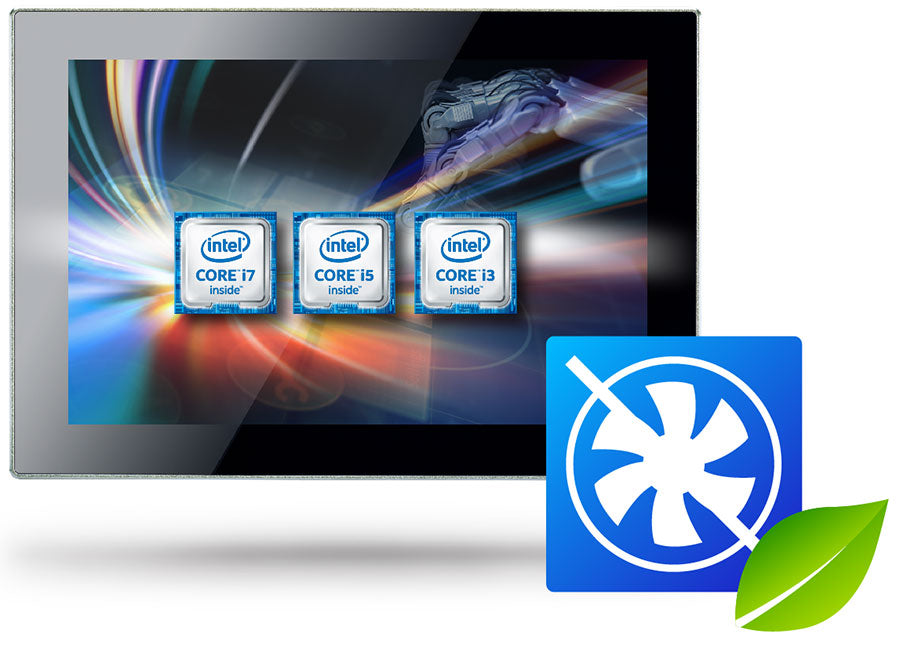
CORE-I
Fanless Design
Silent & Stable 24-7 Long-Term Operation
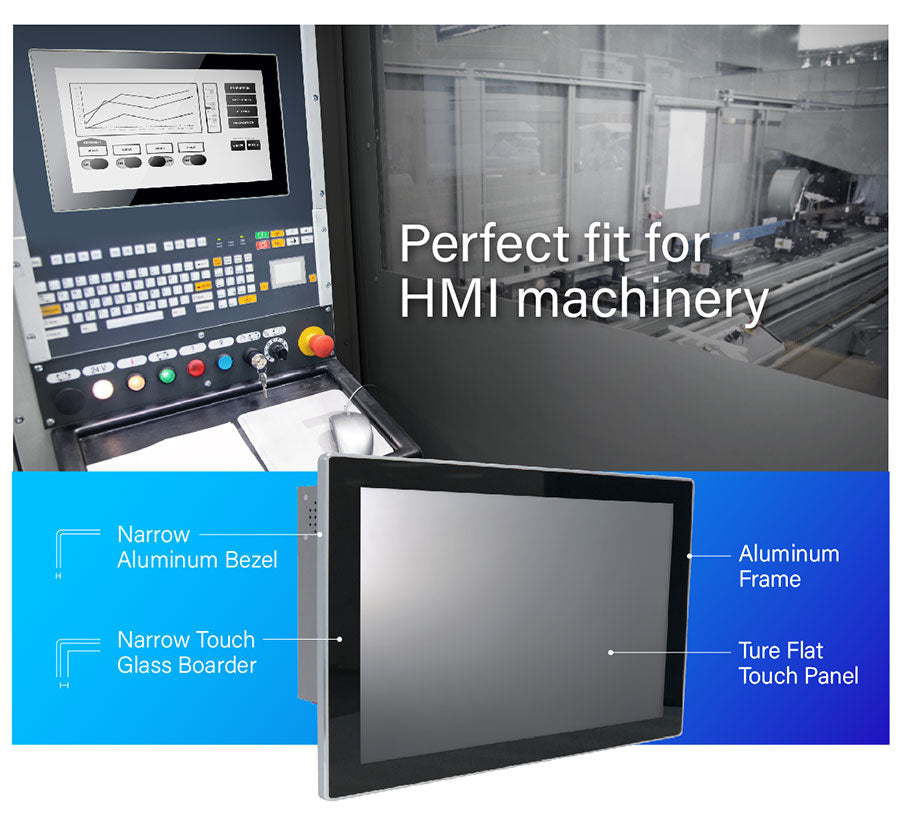
Slim & Sleek Design
Display & Touch

P-cap Multi Touch

Scratch resistance: 7H
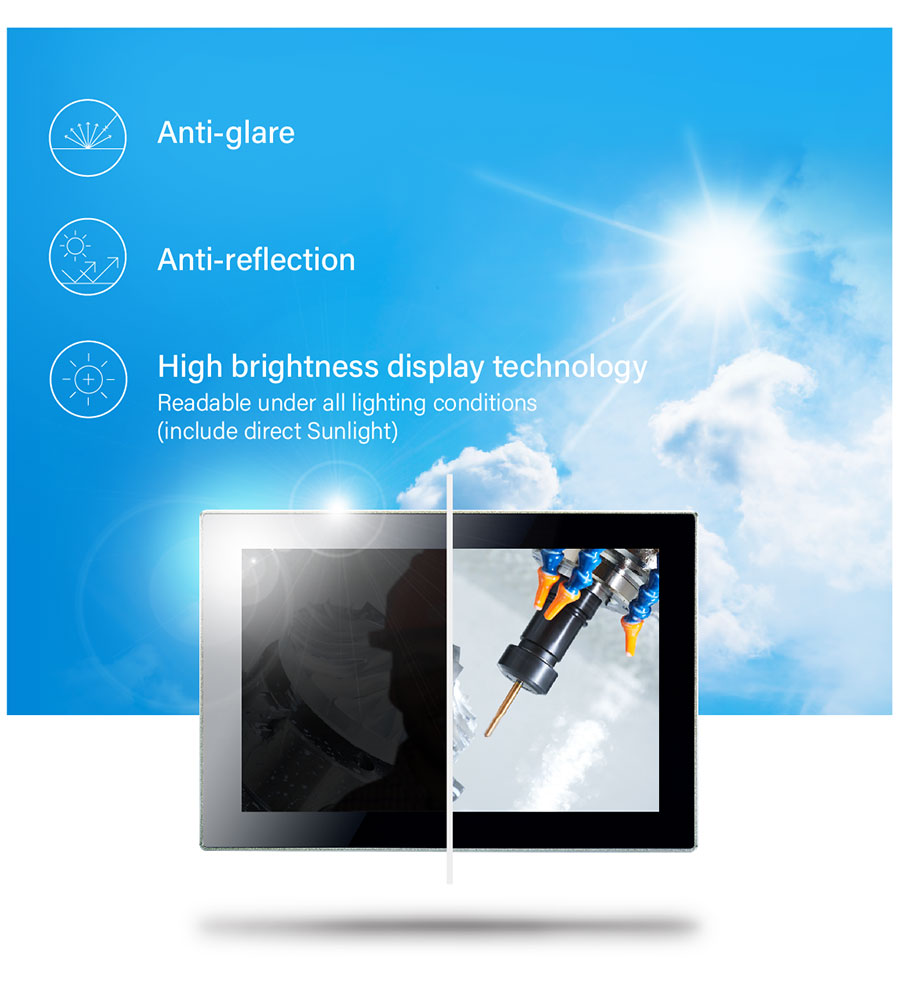
Sunlight-Readable Display
Triple Display
Supports three independent displays (VGA, HDMI, DP). HDMI & DisplayPort support high resolutions up to 4K. The enhanced visual quality meets the requirements of high-precision applications.
DisplayPort 1.2 4K@60Hz
HDMI 1.4 4K@30Hz

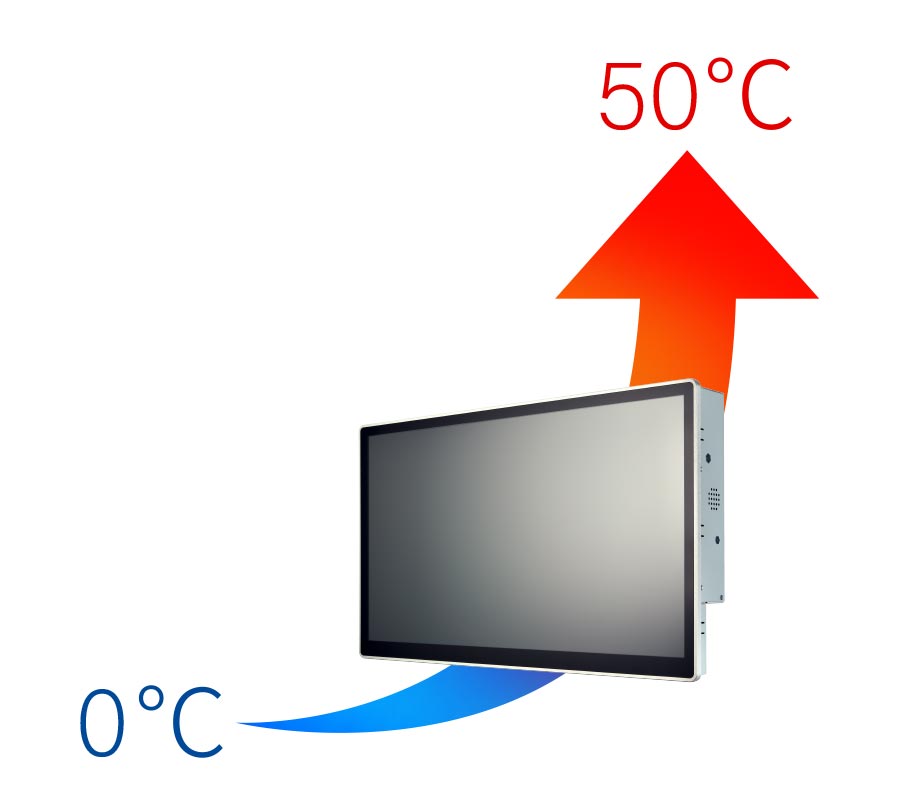
Wide operating temperature range of 0 ∼ 50ºC
The P series Panel PC is designed for fanless applications in extreme temperature conditions from 0ºC to 50ºC
IP65 dustproof & waterproof protection


Front IP65
Sealing prevents dust ingress and provides protection against water splashes
(within certain limits)
Rich I/O

Advanced Power Protection

Wide Power Range
8V ∼ 24V

Protection
ESD Protection: +/-8kV (air), +/- 4kV (contact)
Surge Immunity: 2kV
Mounting Design
STEP 1
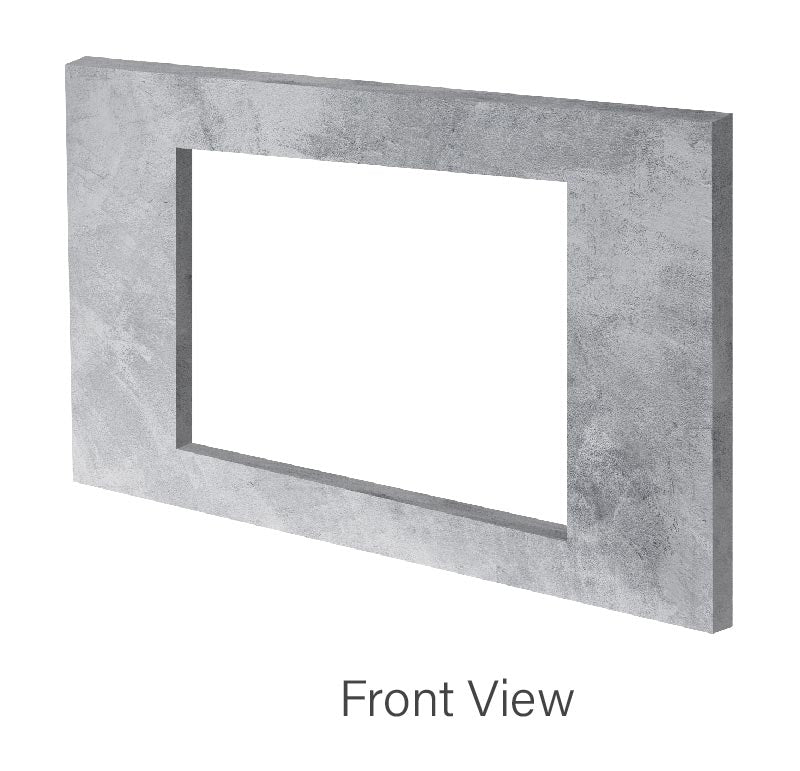
- Make a cutout in the mounting fixture (e.g. wall) according to the Panel PC cutout dimensions
STEP 2
- Place the Panel PC in the fixture from the front side
- The sides of the bezel should remain visible from the outside

STEP 3
- Use the mounting kit to secure the Panel PC to the fixture
- First, install the mounting clamp on the Panel PC, and then tighten the screw to secure the clamp to the fixture

STEP 4
Installation Complete

| Model | CPU | VGA | DisplayPort | HDMI | USB 3.0 / 2.0 | Line out / Mic-in | RS232 | LAN | Wi-Fi / BT | Power |
|---|---|---|---|---|---|---|---|---|---|---|
| P150-11KS-3965U | Celeron 3965U | 0 | 1 | 1 | 4 / 0 | 1 combo jack | 3 | 2 | Optional | DC-in 8~24V |
| P150-11KS-7100U | Core i3-7100U | 0 | 1 | 1 | 4 / 0 | 1 combo jack | 3 | 2 | Optional | DC-in 8~24V |
| P150-11KS-7300U | Core i5-7300U | 0 | 1 | 1 | 4 / 0 | 1 combo jack | 3 | 2 | Optional | DC-in 8~24V |
| P150-11KS-7600U | Core i7-7600U | 0 | 1 | 1 | 4 / 0 | 1 combo jack | 3 | 2 | Optional | DC-in 8~24V |
| P150-11KS (P150-11KS) Specifications | |||
|---|---|---|---|
| LCD | Display type | 15" TFT-LCD | |
| Max. resolution | 1024 x 768 | ||
| Max. colors | 16.7M (8 bit / color) | ||
| Luminance (cd/m2) | 300 | ||
| Viewing angle (H/V) | 176° / 176° | ||
| LED backlight lifetime (hrs) | 70,000 | ||
| High brightness | Option | ||
| TOUCH SCREEN | Type | P-CAP | |
| TOUCH SCREEN | 10-point true-flat | ||
| AR/AG | Option | ||
| System | Processor | 7th Gen Intel® Kaby Lake-U i3-7100U (Dual Core, 3MB Cache, 2.40 GHz) / option: 7th Gen Kaby Lake celeron 3965U / i5-7300U / i7-7600U / option: 6th Gen Skylake celeron 3955U / i3-6100U / i5-6300U / i7-6600U | |
| CHIPSET | Integrated Intel® SoC | ||
| System memory | DDR4 2133MHz / 2 x 260-pin SO-DIMM / Max. 32GB (Non-ECC) | ||
| ETHERNET | Intel® I219-LM Giga LAN + Intel® I211-AT Giga LAN | ||
| I/O port | 1 x 3-pin Phoenix-type terminal block DC input / 2 x RJ45 / 1 x Audio Jack (combo Line-out + Mic-in) / 1 x 8bit GPIO terminal block / 1 x DisplayPort 1.2 / 1 x 2-pin remote power on/off / 3 x RS232 / 4 x USB 3.0 / 1 x HDMI 1.4 | ||
| Expansion slot | Wireless: M.2 2230 E key (PCIe, USB) | ||
| STORAGE | 1 x SATA 2.5” HDD / SSD bay | ||
| STEREO SPEAKERS | 2 x 2W | ||
| OS SUPPORT | Windows® 10 Enterprise 1703 | ||
| WATCHDOG TIMER | 1~255 steps through a software program | ||
| Power requirement | Power input | DC input 8~24V | |
| Power adapter | AC to DC / DC19V / 3.4A / 65W adapter | ||
| Mechanical | Mounting | VESA 75/100mm / panel mount | |
| Dimensions (W X D X H) | 283.1 x 360.4 x 81.7 mm | ||
| Weight | TBD | ||
| Environmental | Operating temperature | -20~55°C (-4 ~ 131°F) | |
| Storage temperature | -20 ~ 70°C (-4 ~158°F) | ||
| Storage humidity | 10% ~ 90% @40°C, non-condensing | ||
| Vibration resistance | Operating random vibration test: 5-500Hz, 0.3 Grms with HDD / 2Grms with SSD, in accordance with IEC 60068-2-64 | ||
| Shock resistance | Operating: 10 G peak acceleration (11 ms duration) / in accordance with IEC 60068-2-27 | ||
| EMC | CE / FCC Class B | ||
| Front panel protection | IP65 compliant | ||
| Packing list | Package | 1 x Driver CD / 1 x Quick Installation Guide / 1 x 3 pin Terminal Block Power Connector / US + EU Power Cord / 1 x Power Adapter (19V, 65W, DC Jack Type) / 1 x Panel PC / 1 x screw kit / 1 x mounting kit / 1 x 10 pin male terminal connector | |